How email attacks work
Email attacks on small businesses usually fall into a few types.
- Phishing emails pretend to be from Microsoft, a bank, a delivery company or a supplier and try to get you to click a link and enter your password on a fake page.
- Malware emails carry infected attachments or links to downloads that install ransomware or other malicious software.
- Business email compromise is when criminals either take over a real email account or impersonate one, then use it to request payments, change bank details or trick staff into sending sensitive information.
Business email compromise is particularly damaging because the emails often contain no malicious link or attachment at all. They are simply a convincing request, sometimes sent from a genuine account that has been hacked. That is why email security needs several layers.
Filtering, link protection and sandboxing
We use VIPRE Email Security to filter incoming email before it reaches Microsoft 365 inboxes. It removes spam and known threats and flags suspicious messages.
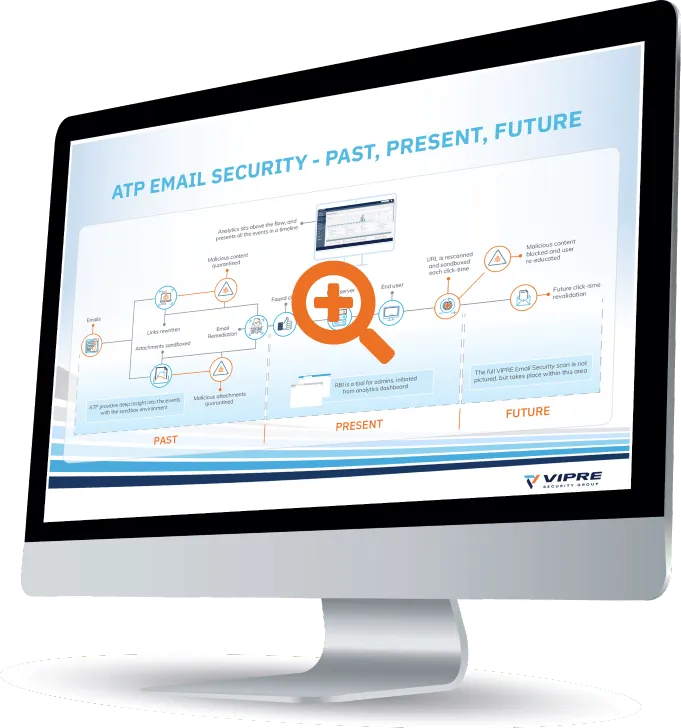
VIPRE Advanced Threat Protection adds deeper checks. Links are rewritten so they are checked again at the moment someone clicks, catching websites that were harmless when the email arrived but turned malicious later. Suspicious attachments and links can be opened in a sandbox, a secure isolated environment, to see what they do before anyone in your business does. If a threat is identified after delivery, malicious emails can be removed from inboxes.
Preventing emails going to the wrong person
Not every email incident is an attack. Sending a spreadsheet of customer details to the wrong person, or autocomplete picking the wrong contact, can be a personal data breach under UK GDPR. Tools such as VIPRE SafeSend show a confirmation prompt before an email goes outside the business, highlighting external addresses and attachments so staff can check before it is too late. It is a simple step that can prevent embarrassing and costly mistakes.
Email archiving
An email archive keeps a copy of messages sent and received in a separate, searchable store. It is useful if you need to keep records for regulatory reasons, find an email someone has deleted, or respond to a dispute. Archiving is different from backup, and we will explain which you need. Our backup and recovery service covers Microsoft 365 backup.
SPF, DKIM and DMARC explained
These three settings are records added to your domain name that help receiving mail servers decide whether an email claiming to be from your business is genuine.
- SPF (Sender Policy Framework) lists the services allowed to send email for your domain, such as Microsoft 365 and your accounts package.
- DKIM (DomainKeys Identified Mail) adds a digital signature to your emails so the receiver can check they have not been altered and really came from an approved sender.
- DMARC (Domain based Message Authentication, Reporting and Conformance) tells receivers what to do with email that fails those checks and sends you reports about who is sending email using your name.
Getting these right makes it harder for criminals to impersonate your business to your customers and suppliers, and it helps your genuine email get delivered. Major email providers including Google and Yahoo now expect senders, particularly those sending in bulk, to have them in place. We set them up carefully, starting DMARC in monitoring mode and tightening it once we are sure every legitimate sender is covered.
Protecting against invoice and payment fraud
Technology helps, but the best defence against payment fraud is a simple process. We recommend that any request to change bank details or make an urgent payment is checked by phoning the person on a number you already have, not one in the email. We can help you put clear procedures in place and include them in security awareness training for your team.
What we see in practice
The emails that cause most problems for small businesses are rarely sophisticated. A fake shared document asking someone to sign in, an invoice that looks like it came from a regular supplier, or a message from the managing director asking for an urgent favour. Layered email security stops most of these, and a clear process for checking payment requests stops many of the rest.
Email security for Microsoft 365 users
Most of our clients use Microsoft 365. As well as adding VIPRE filtering, we review Microsoft 365 settings: making sure multi factor authentication is on, blocking automatic forwarding to outside addresses, which attackers often set up after taking over an account, and checking for suspicious sign ins. If you think an account has been compromised, call us on 0191 543 3432 straight away and we will help you secure it.